
Best Image Compression Software for Mac: 7 Apps (2026)
Compare 7 image compressor apps for Mac by format support, batch workflow, privacy, automation, and price, then choose the right tool for your images.
Updated:
The short answer: Zipic is the best all-round Mac image compressor here for mixed formats, repeatable batch work, and local automation. Choose ImageOptim for free lossless JPEG/PNG optimization, Squoosh for fine-tuning one important image, TinyPNG for WordPress or API workflows, and Compresto when video compression matters too.
Your next step depends on the job: check the decision criteria below, compare format and price limits, then test the leading option with your own representative images before committing to a workflow. If you already know you need local batch compression, download Zipic, start with the default preset, and keep output in a separate folder for the first run.
How We Compared Mac Image Compressor Apps
We compared seven popular options using product capabilities that readers can verify on official product and documentation pages:
Format coverage. JPEG and PNG are table stakes. But if you work with AVIF, HEIC, WebP, or JPEG-XL — increasingly common in 2026 — many tools simply can’t help. Check format support before anything else.
Compression control. Some tools offer a single “optimize” button. Others give you quality levels, presets, or full encoder parameters. More control means you can tune the quality-to-size tradeoff for each project. Start with lossy vs lossless compression if that tradeoff is unfamiliar.
Batch processing. Compressing one image at a time is fine for quick edits. For photographers with hundreds of shots or developers with asset folders, batch support is non-negotiable.
Automation. Folder monitoring, keyboard shortcuts, URL schemes, CI/CD integration — these features turn compression from a manual chore into a background process.
Privacy. Cloud-based tools upload your images to external servers. Desktop tools process locally. For client work, medical images, or anything confidential, this matters.
Pricing model. One-time purchase, subscription, per-image API pricing, or free with limits. Match the model to how you’ll use the tool.
This is a feature comparison, not a claim that one encoder always produces the smallest file. Compression results depend on the source image, output format, dimensions, metadata, and quality settings. To reproduce a fair test, run the same photo, screenshot, transparent graphic, and large batch through each shortlisted tool; keep output dimensions and format constant; record file size, elapsed time, failures, and metadata handling; then inspect every result at 100% zoom. Product and pricing details in this article were checked on the publication date shown above.
Format Support Matrix
Not all compressors handle the same formats. Here’s what each tool supports for compression:
| Format | Zipic | ImageOptim | Squoosh | TinyPNG | Compresto | Optimage | JPEGmini |
|---|---|---|---|---|---|---|---|
| JPEG | ✅ | ✅ | ✅ | ✅ | ✅ | ✅ | ✅ |
| PNG | ✅ | ✅ | ✅ | ✅ | ✅ | ✅ | ❌ |
| WebP | ✅ | ❌ | ✅ | ✅ | ✅ | ✅ | ❌ |
| AVIF | ✅ | ❌ | ✅ | ✅ | ✅ | ❌ | ❌ |
| HEIC | ✅ | ❌ | ❌ | ❌ | ✅ | ✅ | ❌ |
| JPEG-XL | ✅ | ❌ | ✅ | ❌ | ❌ | ❌ | ❌ |
| GIF | ✅ | ✅ | ❌ | ❌ | ✅ | ✅ | ❌ |
| TIFF | ✅ | ❌ | ❌ | ❌ | ✅ | ✅ | ❌ |
| SVG | ✅ | ✅ | ❌ | ❌ | ✅ | ✅ | ❌ |
| ✅ | ❌ | ❌ | ❌ | ✅ | ✅ | ❌ | |
| ICNS | ✅ | ❌ | ❌ | ❌ | ❌ | ✅ | ❌ |
| APNG | ✅ | ❌ | ❌ | ❌ | ❌ | ✅ | ❌ |
| Total | 12 | 4 | 5 | 4 | 8 | 10 | 1 |
If you need next-gen formats (AVIF, JPEG-XL) or Apple-ecosystem formats (HEIC, ICNS), your options narrow quickly.
Pricing Comparison
| Tool | Model | Free Tier | Paid |
|---|---|---|---|
| Zipic | One-time | 25/day, 5 formats | Solo $19.99 (1 device) / Personal $29.99 (2 devices) |
| ImageOptim | Donationware | Full access | — |
| Squoosh | Free | Full access | — |
| TinyPNG | Subscription / API | 20/session, 5 MB limit | Pro $39/yr; API $0.009/image |
| Compresto | One-time | None | Personal $49 (1 device) / Standard $69 (2 devices) |
| Optimage | One-time | 24/day | $15 |
| JPEGmini | One-time | 50/day | Pro $59 / Pro Suite $89 (with plugins) |
The 7 Best Image Compressors for Mac
1. Zipic — Best All-in-One Mac Image Compressor
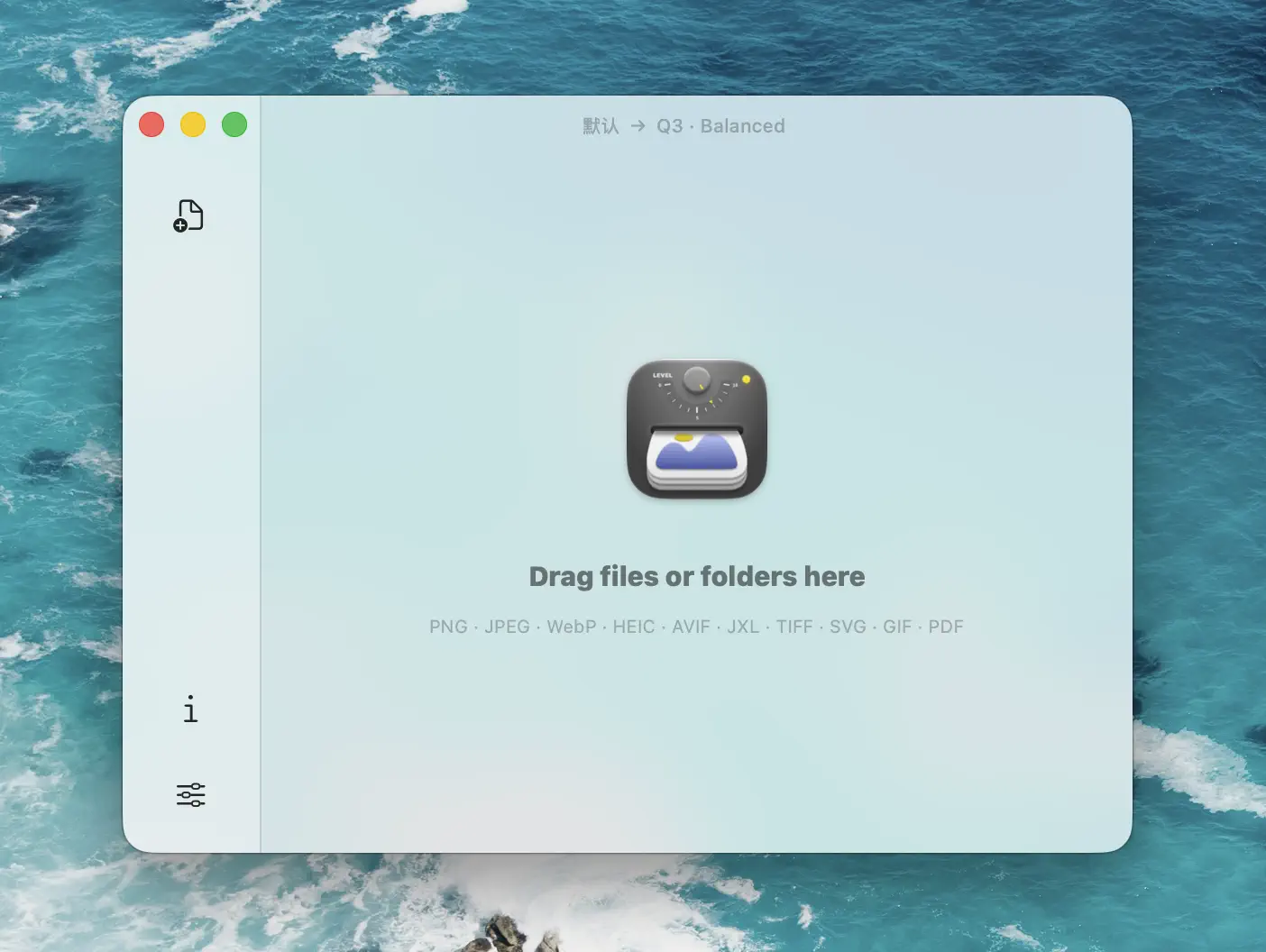
Zipic takes the top spot because it covers the broadest range of use cases in this comparison. In the matrix above, it is the only Mac image compressor that combines 12-format support, granular compression control, format conversion, resize, and deep macOS automation in a single native app.
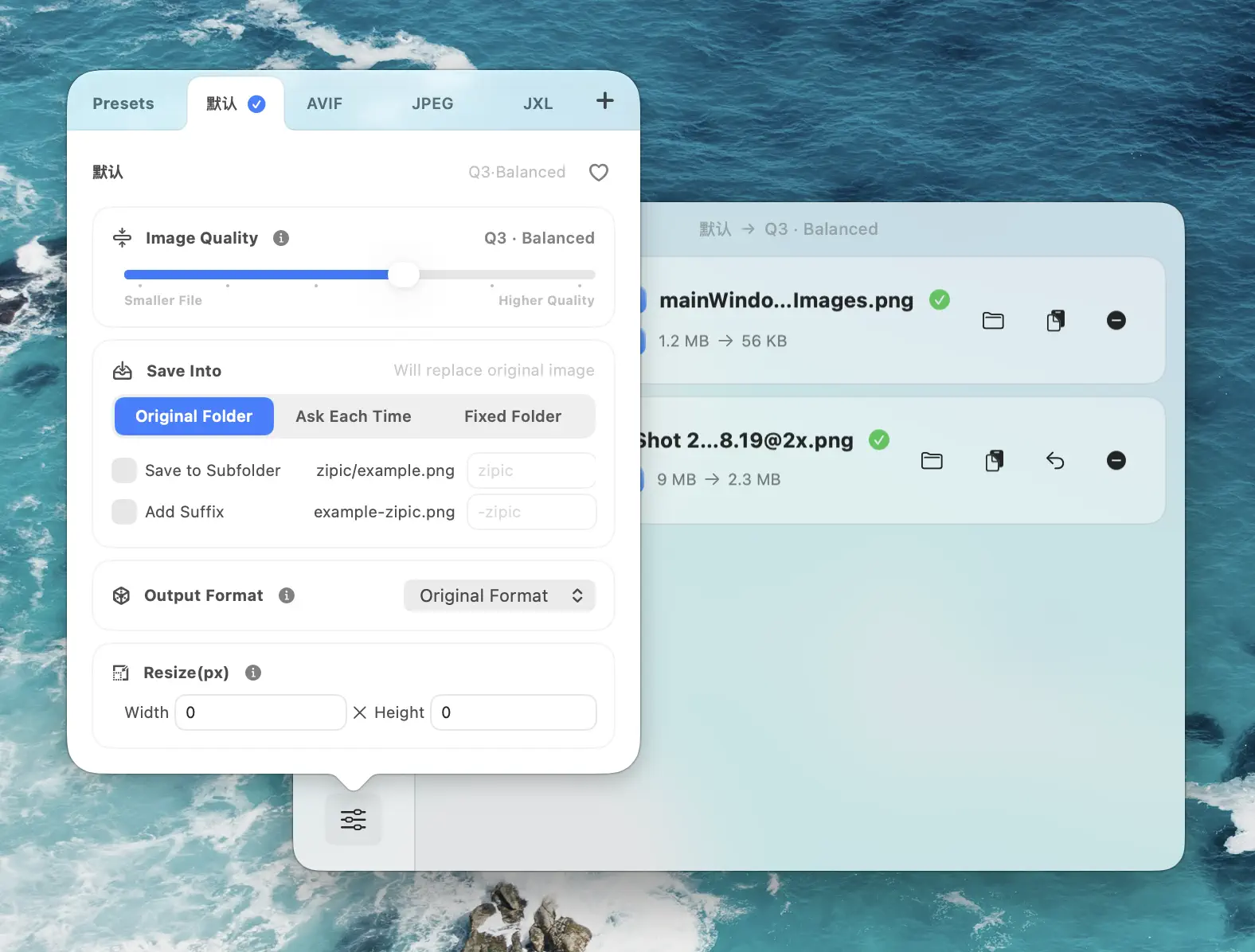
Where Zipic really differentiates is automation depth. Folder monitoring auto-compresses new files in watched directories — pair it with a screenshot tool like CleanShot X and every screenshot gets optimized the moment it’s saved. Notch Drop lets you drag files to the MacBook Pro notch for instant compression. Apple Shortcuts and URL Scheme integration means you can trigger compression from any script, shortcut, or third-party app. And the Raycast extension lets you compress selected Finder files without ever opening Zipic’s main window.
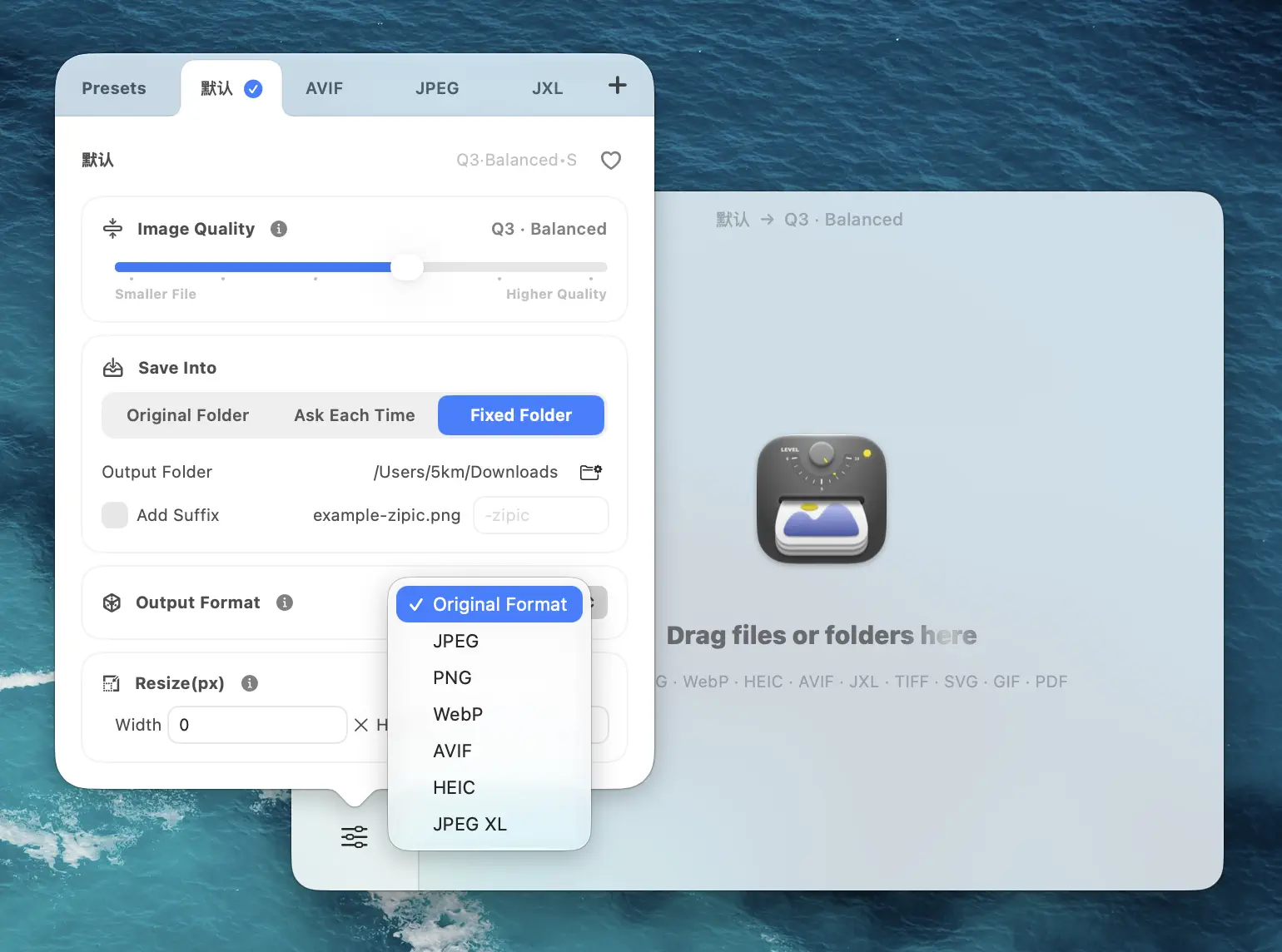
The free tier (25 images/day, 5 formats) is designed for casual use. Zipic Pro starts at $19.99 one-time (Solo, 1 device) and unlocks all 12 formats, unlimited compressions, and the full automation suite. Check the compression basics before your first large batch.
Stands out for: Format breadth (12), automation depth (folder monitoring, Notch Drop, Shortcuts, URL Scheme, Raycast, clipboard auto-compression), and one-time pricing.
2. ImageOptim — Best Free No-Setup Option
ImageOptim is the tool most Mac users try first — and for good reason. It’s free, requires zero configuration, and does one thing well: lossless optimization of JPEG, PNG, GIF, and SVG files. Drop images in, get smaller files out, no quality loss.
Under the hood, it chains over a dozen optimization engines — including MozJPEG, pngquant, OxiPNG, Gifsicle, SVGO, Zopfli, PNGOUT, AdvPNG, PNGCrush, JPEGOptim, and Guetzli — and picks the best result. It can strip EXIF metadata (enabled by default in preferences), which is useful for privacy. The CLI makes it scriptable for build pipelines.
The tradeoff is simplicity. No compression levels, no format conversion, no resize, no modern formats. If you need any of those, ImageOptim won’t grow with you — but if all you need is “make these PNGs and JPEGs smaller without touching quality,” it’s hard to beat free.
Stands out for: Zero-friction lossless optimization with no cost and no learning curve.
3. Squoosh — Best for Single-Image Fine-Tuning
Squoosh is Google Chrome Labs’ browser-based compressor. It runs entirely via WebAssembly — your images stay local, nothing gets uploaded. The real-time split-view slider lets you drag between original and compressed versions while adjusting every encoder parameter (quality, effort, chroma subsampling, color space).
It supports MozJPEG, OxiPNG, WebP, AVIF, JPEG-XL, QOI, and browser-native codecs. For developers who need to find the exact right quality setting for a hero image or experiment with next-gen formats, Squoosh’s parameter control is unmatched.
The catch: one image at a time. No batch processing, no native Mac integration, no automation. (Note: the official Squoosh CLI was deprecated in January 2023 and removed from the repository. Community forks exist but are not officially supported.)
Stands out for: Real-time quality preview with full encoder parameter access — the best way to fine-tune a single critical image.
4. TinyPNG — Best for WordPress and API Workflows
TinyPNG built its reputation on excellent smart lossy compression delivered through the simplest possible interface: upload, compress, download. Its WordPress plugin auto-optimizes every image on upload, which makes it the default choice for WordPress bloggers who don’t want to think about compression.
The REST API extends this to CI/CD pipelines and custom integrations. Support now includes PNG, JPEG, WebP, and AVIF. Free API tier covers 500 compressions/month; paid tiers scale by volume ($0.009/image for 500–10,000/month).
The limitation is the cloud model. Every image gets uploaded to TinyPNG’s servers for processing. The free web uploader caps at 20 images per session and 5 MB per file. Pro ($39/year) raises the file size limit to 75 MB but still requires internet and server upload. For confidential images or offline work, a local tool is a better fit.
Stands out for: WordPress plugin auto-optimization and a mature REST API for server-side compression pipelines.
5. Compresto — Best Multi-Media Compressor (Video + Image + PDF)
Compresto positions itself as a compression Swiss Army knife. It handles images (JPEG, PNG, WebP, AVIF, HEIC, GIF, TIFF, SVG, BMP), video (MP4, MOV with H.265/HEVC hardware acceleration), PDF, and even video-to-GIF conversion — all in one native Mac app.
For users who regularly compress video alongside images, this all-in-one approach saves juggling separate tools. Features include folder monitoring (hot folders), a target file size option for videos, drag-and-drop with menu bar access, a Raycast extension, a compresto:// URL scheme for scripted workflows, and basic format conversion (WebP, JPG, PNG output).
On the image side, it doesn’t support JPEG-XL, and lacks Apple Shortcuts integration and side-by-side quality preview. At $49 (Personal, 1 device) with no free tier, it’s pricier than Zipic — you’re paying primarily for the video + image + PDF combination.
Stands out for: Video compression with H.265 hardware acceleration alongside image and PDF optimization.
6. Optimage — Best for Set-and-Forget Quality
Optimage takes a quality-first approach. Its perceptual compression algorithm analyzes what the human eye can actually detect and removes only the data you won’t miss. The result is files that are measurably smaller but visually identical — what the industry calls “visually lossless.”
It supports a wide range of formats — JPEG, PNG, APNG, GIF, SVG, WebP, HEIC, PDF, TIFF, ICNS, and more — with CLI access for scripted workflows. The interface is intentionally minimal: drop files in, get optimized files out.
The free tier (24 images/day) is enough for occasional use. The full version at $15 is the lowest paid price on this list. The tradeoff is limited automation: no AVIF or JPEG-XL support, no folder monitoring, and no deep macOS integrations like Shortcuts or Raycast.
Stands out for: Quality-first perceptual compression at the lowest paid price point.
7. JPEGmini — Best for JPEG Photographers
JPEGmini specializes in JPEG compression using a patented perceptual quality algorithm. It claims up to 80% file size reduction with no visible quality loss, and supports images up to 512 megapixels (including panoramas) — making it suitable for high-resolution camera output. It also handles HEIC-to-JPEG conversion and H.264/H.265 video compression.
The Pro version ($59) covers JPEG and video optimization with batch processing. The Pro Suite ($89) adds Adobe Lightroom and Photoshop plugins, which let photographers optimize images as part of their export workflow without leaving their editing tool.
The free tier (50 images/day) is the most generous daily limit among paid tools. JPEGmini’s core strength is JPEG — for PNG, WebP, AVIF, or other formats, you’ll need a second tool alongside it.
Stands out for: Maximum JPEG compression quality. Pro Suite ($89) adds native Lightroom/Photoshop integration for photographer workflows.
Which Image Compressor Should You Choose?
For most Mac users: Zipic. It handles the widest range of formats and workflows, with a free tier that covers casual use and Pro starting at $19.99 — cheaper than most alternatives while offering more features.
For zero-cost lossless optimization: ImageOptim — if 4 formats and no controls are enough.
For pixel-perfect single-image tuning: Squoosh — unmatched encoder parameter control in a browser.
For WordPress auto-optimization: TinyPNG — the plugin handles everything on upload.
For video + image in one app: Compresto — especially if H.265 video compression matters.
For quality-first compression on a budget: Optimage — $15 gets you perceptual optimization.
For JPEG-focused photography workflows: JPEGmini — Pro Suite ($89) adds Lightroom/Photoshop integration.
Competitor data in this article was last verified on 2026-04-15.
Looking for the best image compression app for Mac? Visit Zipic or download Zipic free — 25 images/day with 5 formats, no file size limits. Every download includes a full 7-day Pro trial. Upgrade to Zipic Pro for all 12 formats, unlimited compressions, and full macOS automation starting at $19.99.
Related Articles
Related Reading
Best Free Image Compression Tools for Mac in 2026
The best free image compressor apps for Mac in 2026 — Zipic free, ImageOptim, Squoosh, macOS Preview, TinyPNG, Optimage, and JPEGmini. What each free tier actually lets you do.
Best TinyPNG Alternatives for Mac in 2026 (Desktop Apps)
Hit TinyPNG's 20-image limit or don't want to upload client files? Five desktop TinyPNG alternatives for Mac that compress locally — compared with prices.
Best ImageOptim Alternatives for Mac in 2026
Looking for an ImageOptim alternative? Compare the top Mac image compression tools — Zipic, Squoosh, TinyPNG, Compresto, and Optimage — with features, pricing, and recommendations.
Zipic vs Optimage: Mac Image Compressors Compared
Zipic vs Optimage compared for Mac users: format support, compression workflow, automation, metadata handling, pricing model, and who should pick which app.