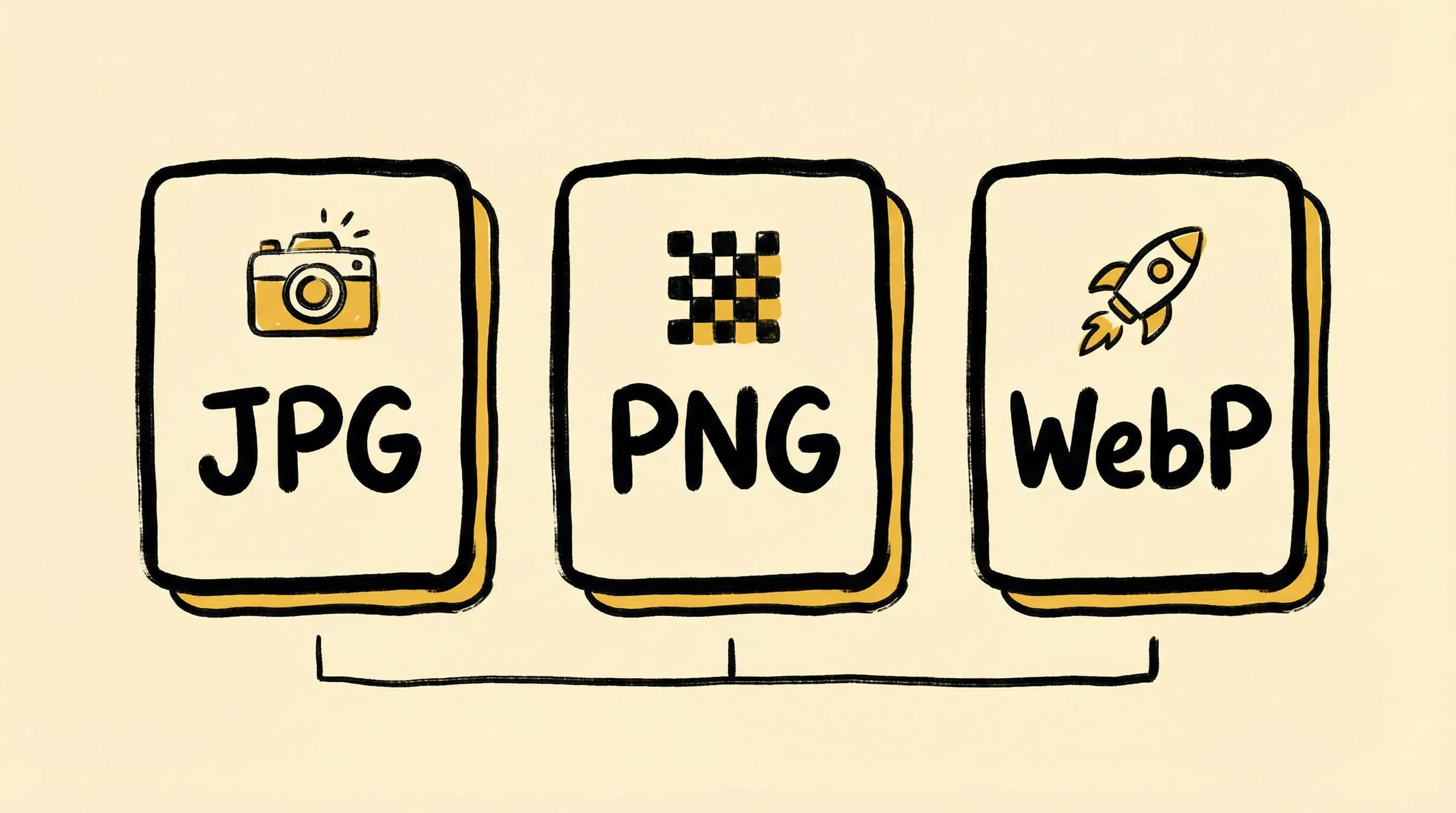
JPEG vs PNG vs WebP: Which Image Format Should You Use?
Compare JPEG, PNG, WebP, AVIF, HEIC, and JPEG-XL. Learn when to use each format for web, photography, and design with real compression data.
Choosing the right image format directly affects your website’s speed, your storage costs, and your image quality. Yet many people default to JPEG or PNG without considering newer formats that can cut file sizes by 30–50%.
Here’s a practical guide to the most common formats — and when each one makes sense.
The Formats at a Glance
| Format | Type | Transparency | Animation | Browser Support | Best For |
|---|---|---|---|---|---|
| JPEG | Lossy | No | No | Universal | Photos, web images |
| PNG | Lossless | Yes | No (APNG extension; Zipic supports APNG compression) | Universal | Screenshots, logos, graphics |
| WebP | Both | Yes | Yes | 97%+ browsers | Web-optimized images |
| AVIF | Both | Yes | Yes | 93%+ browsers | Maximum compression |
| HEIC | Both | Yes | Yes | Apple ecosystem | iPhone/Mac photos |
| JPEG-XL | Both | Yes | Yes | Limited (growing) | Future-proof archival |
JPEG — The Universal Standard
JPEG has been the default photo format since 1992. It uses lossy compression — discarding data that the human eye is unlikely to notice.
Strengths:
- Universal support — every device, browser, and app reads JPEG
- Good compression for photographs
- Configurable quality (0–100)
- Progressive loading support
Weaknesses:
- No transparency
- Quality degrades with each re-save
- Not ideal for text, sharp edges, or line art
- No animation support
When to use: Photos, product images, blog hero images — anything photographic where transparency isn’t needed.
Typical compression: 60–80% size reduction at quality 75–85.
PNG — Pixel-Perfect Quality
PNG uses lossless compression, preserving every pixel exactly. It’s the go-to format for anything requiring transparency or precise reproduction.
Strengths:
- Lossless — zero quality degradation
- Alpha transparency (partial and full)
- Excellent for screenshots, icons, logos
- Wide support
Weaknesses:
- Much larger file sizes than JPEG for photos
- Not suitable for photographs (overkill)
- Baseline PNG has no animation; APNG exists as an extension (Zipic now supports APNG compression as a Pro format)
When to use: Screenshots, UI elements, logos, graphics with text, anything needing transparency.
Typical compression: 10–30% size reduction (lossless optimization like metadata stripping).
WebP — The Modern Web Standard
Developed by Google, WebP offers both lossy and lossless compression with significantly better efficiency than JPEG and PNG. It’s become the de facto standard for web images.
Strengths:
- 25–35% smaller than equivalent JPEG quality
- Supports transparency (like PNG)
- Supports animation (replacing GIF)
- 97%+ browser support in 2026
Weaknesses:
- Slightly less compatible with older tools/editors
- Lossless WebP isn’t always smaller than optimized PNG
- Some social platforms still prefer JPEG
When to use: Most raster web images. WebP should be your default format for general web delivery in 2026.
Typical compression: 25–35% smaller than JPEG at equivalent visual quality.
AVIF — Maximum Compression
AVIF (AV1 Image File Format) is the newest widely-supported format, offering the best compression ratios available today.
Strengths:
- 30–50% smaller than JPEG at equivalent quality
- Supports transparency and HDR (Zipic preserves HDR data during AVIF compression)
- Excellent for photographic content
- Growing browser support (93%+ in 2026)
Weaknesses:
- Slower encoding than JPEG/WebP
- Limited support in some image editors
- Not yet universal (some older browsers)
When to use: Web images where maximum compression matters, especially hero images and large photo galleries.
Typical compression: 30–50% smaller than JPEG, 10–20% smaller than WebP.
HEIC — Apple’s Ecosystem Format
HEIC (High Efficiency Image Container) is Apple’s default photo format on iPhone and Mac. It uses the HEVC codec for excellent compression.
Strengths:
- Default on Apple devices — native support
- Excellent compression for photos
- Supports HDR, depth maps, Live Photos
- Transparency support
Weaknesses:
- Poor web browser support
- Limited Windows/Linux compatibility
- Not suitable for web publishing
When to use: Storing photos within the Apple ecosystem. Convert to WebP or AVIF for web use.
JPEG-XL — The Future Format
JPEG-XL aims to replace JPEG as the universal format, offering superior compression for both lossy and lossless use cases.
Strengths:
- Better compression than JPEG at all quality levels
- Lossless transcoding from existing JPEG (no quality loss)
- Supports transparency, HDR, animation
- Progressive decoding
Weaknesses:
- Very limited browser support in 2026
- Chrome dropped support (may return)
- Still building ecosystem adoption
When to use: Archival, future-proofing, lossless JPEG transcoding. Not yet recommended as a primary web format.
Format Selection Guide
| Use Case | Recommended Format | Runner-up |
|---|---|---|
| Website photos | WebP or AVIF | JPEG |
| Screenshots / UI | PNG | WebP (lossless) |
| Logos with transparency | PNG or SVG (Zipic supports SVG compression) | WebP |
| E-commerce product photos | WebP | AVIF |
| Photo archival | JPEG-XL | PNG |
| Apple ecosystem sharing | HEIC | JPEG |
| Social media uploads | JPEG | PNG |
| Email attachments | JPEG | WebP |
| Mac app icons | ICNS | PNG |
Converting Between Formats with Zipic
Zipic makes format conversion seamless. During compression, choose your output format — Zipic handles the conversion automatically:
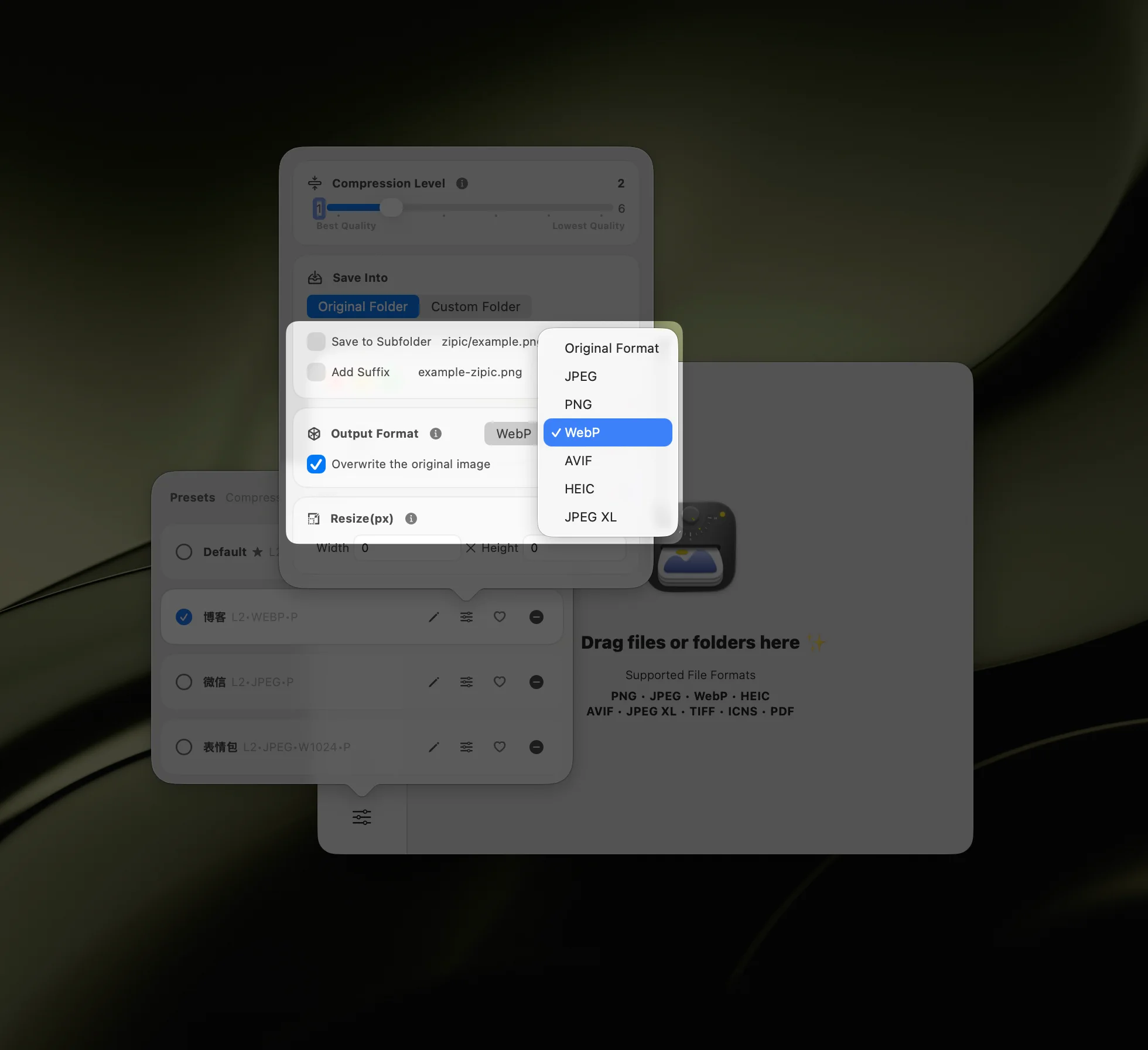
Common conversions:
- HEIC → WebP — iPhone photos optimized for web
- PNG → AVIF — screenshots with maximum compression
- JPEG → WebP — legacy photos updated for modern web
- TIFF → JPEG — large scans reduced for sharing
- SVG compression (Pro) — optimize vector graphics without rasterization
Zipic also preserves ICC color profiles for WebP, AVIF, and TIFF output, keeps Display P3 wide color gamut images intact (no downgrade to sRGB), and retains HDR data in supported formats.
You can batch-convert entire folders, and even set up folder monitoring to auto-convert new files. For the full format guide, see the Zipic format documentation.
Key Takeaways
- For web images in 2026: use WebP as your default, AVIF where maximum compression matters
- For transparency: WebP, AVIF, or PNG
- For photos: WebP > JPEG for web; HEIC for Apple devices
- For archival: JPEG-XL or PNG (lossless)
- Avoid: using PNG for photographs (needlessly large) or JPEG for screenshots (artifacts on text)
These format recommendations are default heuristics, not hard rules. Validate against your target browsers, apps, and delivery channels.
The right format can reduce your image sizes by 30–50% without any visible quality loss — that’s free performance for your website.
Need to convert or compress images in any format? Download Zipic — supporting 12 formats including JPEG, PNG, WebP, AVIF, HEIC, JPEG-XL, SVG, APNG, and more.
Related Articles
- Lossy vs Lossless Compression Explained
- Optimize Images for Web Performance
- Zipic vs ImageOptim: Which Mac Image Compressor Wins?
- How to Compress Images on Mac
Learn more about format selection in the Zipic format guide.